Skip to content

For companies that sell to the State Since 2004

Management software for Mercado Público

Relate tenders to your catalog. Analyze the terms, coordinate your team and prepare bids with documents and KIM support. Follow up through the award, the contract and the purchase order.

Mercado Público manages official procurement. In Masnet, your team evaluates opportunities, records decisions and organizes each bid’s tasks and documents.

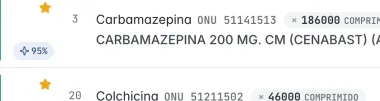
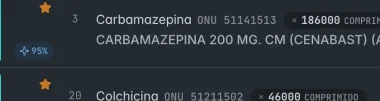
Real Masnet screen: the tender inbox and, on the right, the record of 1075963-358-LP26, with its 24 product lines, the similarity percentage of each one with what the company sells and two discarded with their reason. Real Masnet screen: the tender inbox and, on the right, the record of 1075963-358-LP26, with its 24 product lines, the similarity percentage of each one with what the company sells and two discarded with their reason.
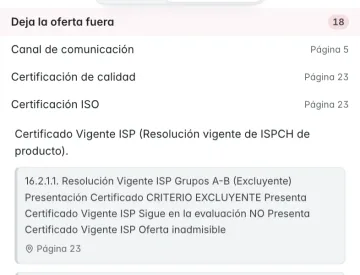
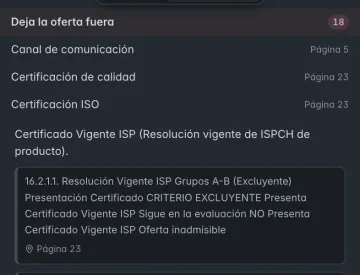
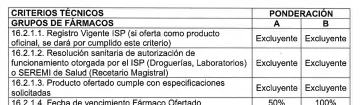
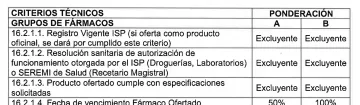
Requirements panel for the terms of the same tender: “Disqualifies the bid”, with the required ISO certification, the text of the terms and its page. Requirements panel for the terms of the same tender: “Disqualifies the bid”, with the required ISO certification, the text of the terms and its page.
Real Masnet screens with tender 1075963-358-LP26, from Hospital Dr. Juan Noé Crevani de Arica, and the requirements extracted from its terms.
01 / Why Masnet exists

How does your company know it is covering its market?

An extensive catalog calls for a market review the company can organize and verify. Masnet was created to address that need: identify tenders relevant to what it sells, understand what the team does with them and retain the work for its own governance.

  1. 01

    Define the market to review

    Relate published demand to your products, buyers and business lines. Keep search criteria and use Predictivas, Masnet’s suggestions based on your catalog and history, to guide the review.

  2. 02

    Understand what the team is addressing

    Review participation decisions, reasoning, next actions, owners and pending work. Records let you verify the management of the opportunities the team works on.

  3. 03

    Retain the company’s work

    Keep documents, discussions, decisions and activity linked to the tender. Management and the team can return to the background and reconstruct what was recorded.

Five questions that bring this management to each opportunity.

From finding the tender to tracking later commitments. How it works goes through them next, in the same order and with real screens.

  • «Which opportunities deserve our attention?»

    With an extensive catalog, searches each executive remembers may leave relevant demand outside the review.

    In MasnetPredictivas prioritizes tenders based on your catalog and your company’s history of participation in Mercado Público. Your team decides which ones to evaluate.

  • «What do the terms require, and where is it written?»

    Without a reference to the document, it is hard for the team to check the analysis and justify its decisions.

    In MasnetRead documents within the tender and ask KIM. Its references and excerpts let you review the support for the answer, where available.

  • «Are we taking part, and who owns it?»

    Without a decision or an owner, the tender consumes work and closes without a bid.

    In MasnetThe decision to take part, pass or defer is recorded with its reasoning and history, along with the next action, its owners and a due date.

  • «How do we prepare and submit the bid?»

    Prices, annex versions and signatures need coordination before the deadline, with different people and reviews.

    In MasnetYou prepare it with products from your catalog, prices suggested by your commercial rules and reviewed by your team, with its origin on each line, and documents from the company Drive. You review it and submit it with Masnet Gateway, the Masnet extension, from a valid Mercado Público session.

  • «What must we manage after the award?»

    After the award, tracking contracts, purchase orders, guarantees and deadlines ends up spread across files and people.

    In MasnetThe contract stays linked to the tender, with its purchase orders, milestones, obligations and guarantees.

02 / How it works

One opportunity, five questions and real screens.

Tender from Hospital Dr. Juan Noé Crevani de Arica for a supply agreement for neuropsychiatric, gastrointestinal and specialized metabolic therapy drugs, code 1075963-358-LP26, published on September 29, 2026. The screens show search, review, a decision, a draft bid and guarantees. They do not prove submission or an award.

01Discovery

It arrives ranked by what your company sells.

Predictivas compares each product line of new tenders with your catalog and with the products your company has already bid. When you open a tender, each line shows its similarity percentage.

  • Search criteria saved and shared with the team
  • Similarity with your catalog and your bid history
  • Views by decision, owner and business line
1075963-358-LP26 · Products
Record for 1075963-358-LP26 in Masnet, next to the list of tenders, with its product lines, the similarity percentage of each one and the discarded ones. Record for 1075963-358-LP26 in Masnet, next to the list of tenders, with its product lines, the similarity percentage of each one and the discarded ones.
Record for 1075963-358-LP26 in Masnet, next to the list of tenders, with its product lines, the similarity percentage of each one and the discarded ones.
1075963-358-LP26 · Products

Similarity per line. How similar the line is to your catalog and to the products you have already bid.
02Evaluation

Read, consult and check the terms.

Read the terms in the viewer and keep comments and tasks in context, according to source and permissions. KIM helps summarize and query them. For processed Mercado Público attachments, the panel shows requirements grouped by consequence and references to check against the document, where available.

  • PDF, Word, Excel and image viewer inside the tender
  • Summary of the terms with its source
  • Evaluation criteria with their weighting

The list of requirements is partial: it does not yet cover every family of requirements. Reviewing the terms is still your team’s work.

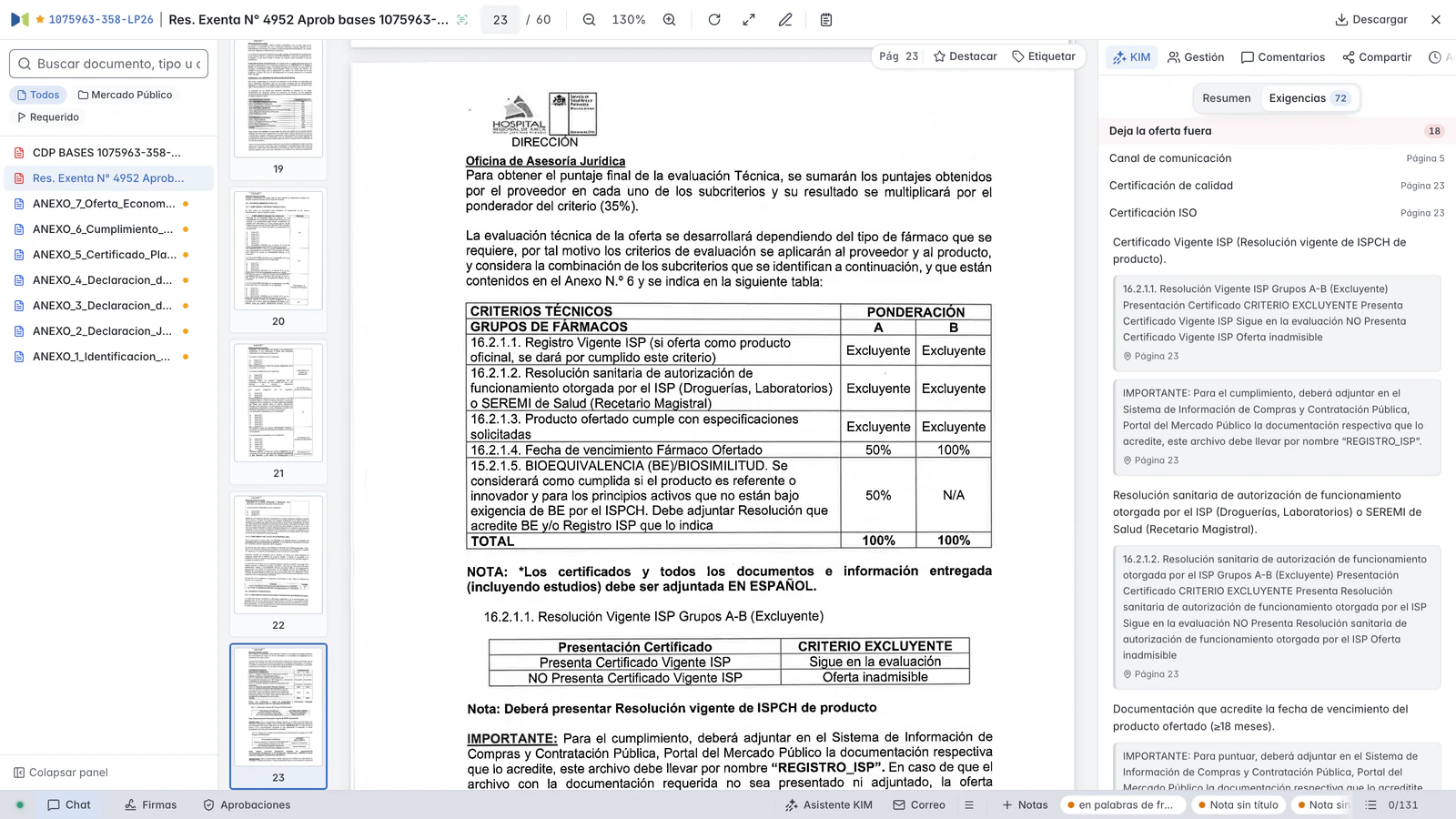
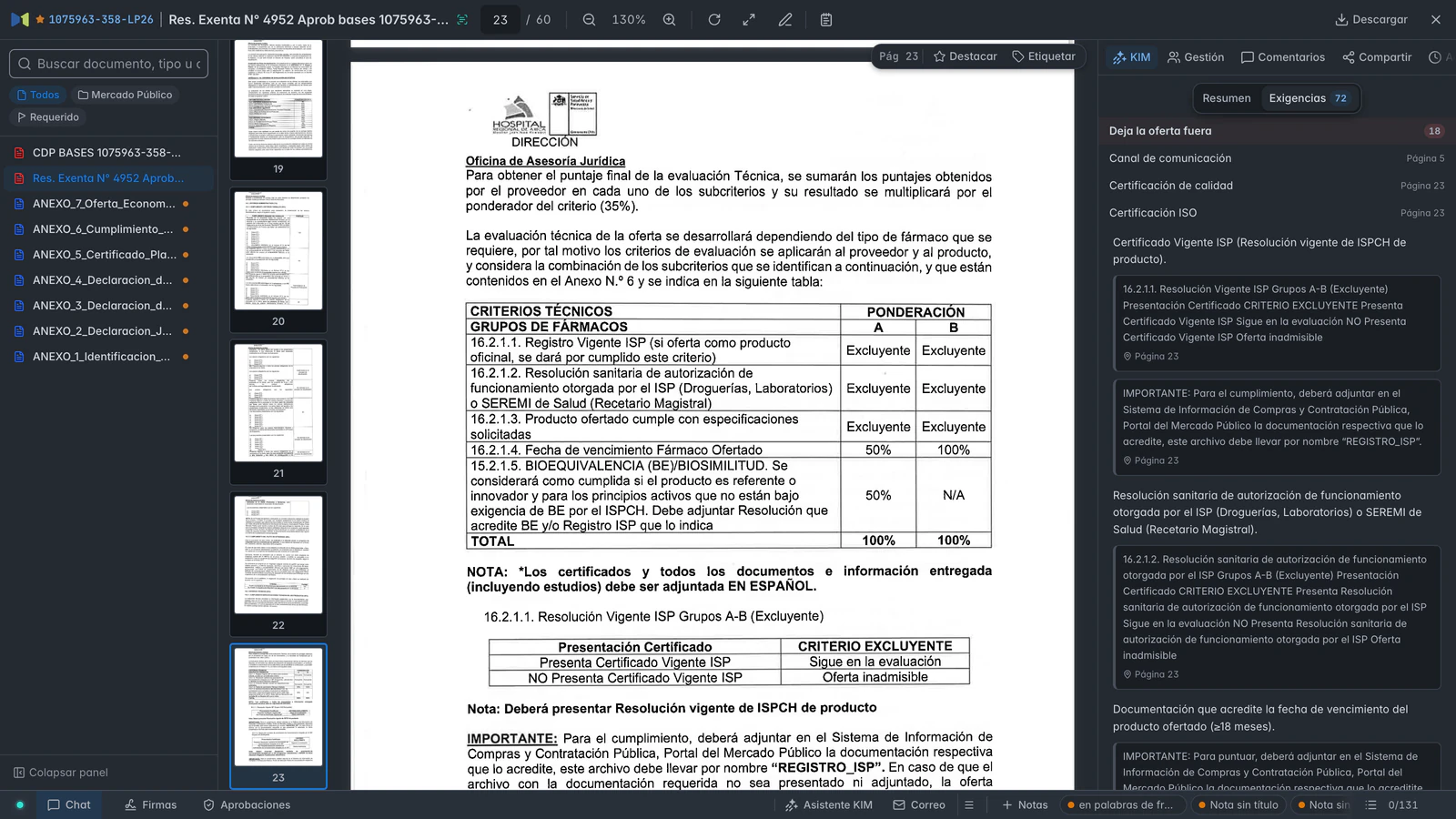
1075963-358-LP26 · Res. Exenta N° 4952 Aprob bases 1075963-358-LP26.pdf
Masnet viewer with the terms of 1075963-358-LP26 open on page 23 and, on the right, the requirements grouped by consequence. Masnet viewer with the terms of 1075963-358-LP26 open on page 23 and, on the right, the requirements grouped by consequence.
Masnet viewer with the terms of 1075963-358-LP26 open on page 23 and, on the right, the requirements grouped by consequence.
1075963-358-LP26 · Res. Exenta N° 4952 Aprob bases 1075963-358-LP26.pdf

Disqualifies the bid. The requirements that disqualify the bid, each one with its page.

On its page. The table on page 23 where the terms declare them disqualifying.

03Management

The decision is written down, with its reasoning.

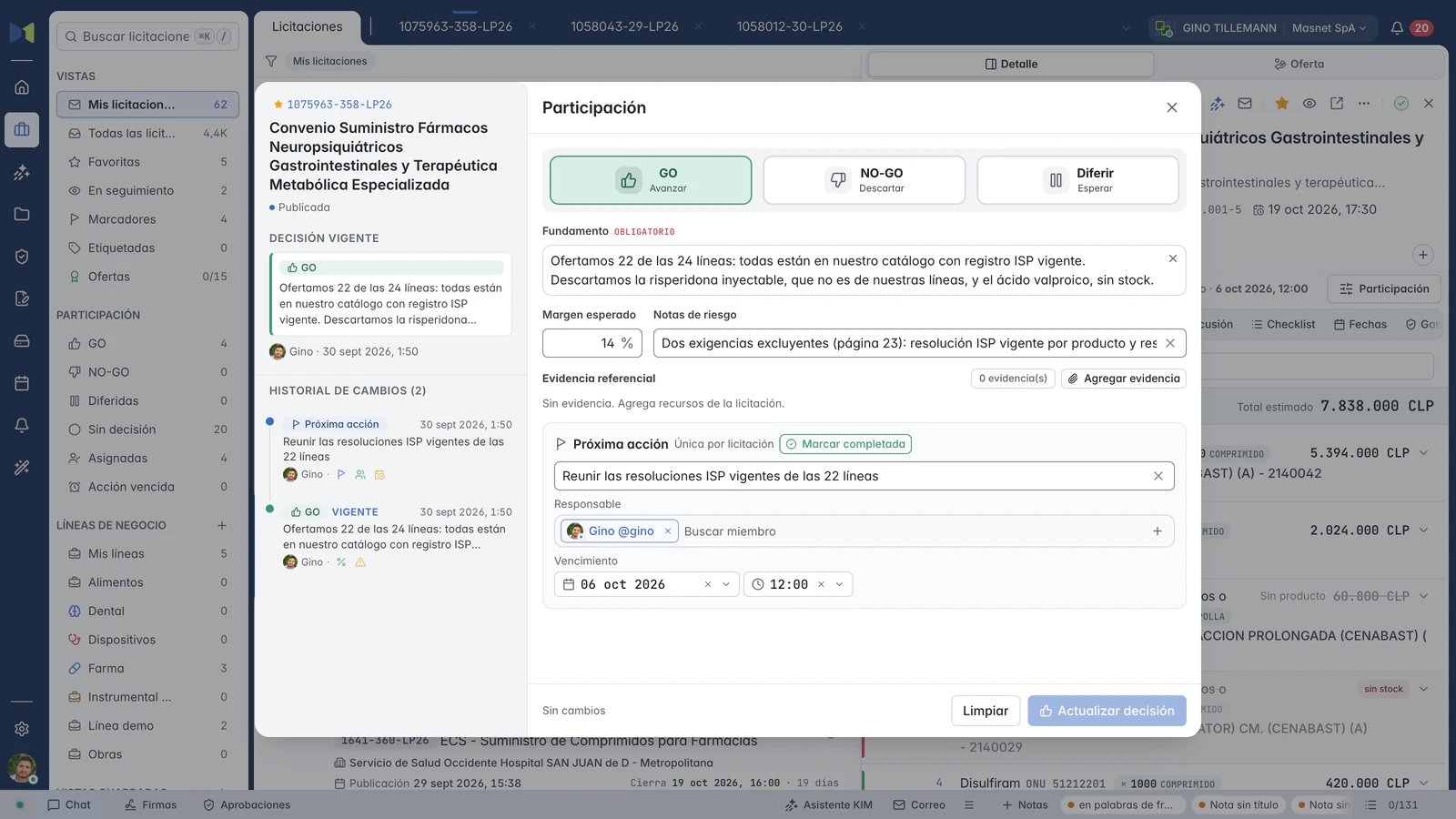
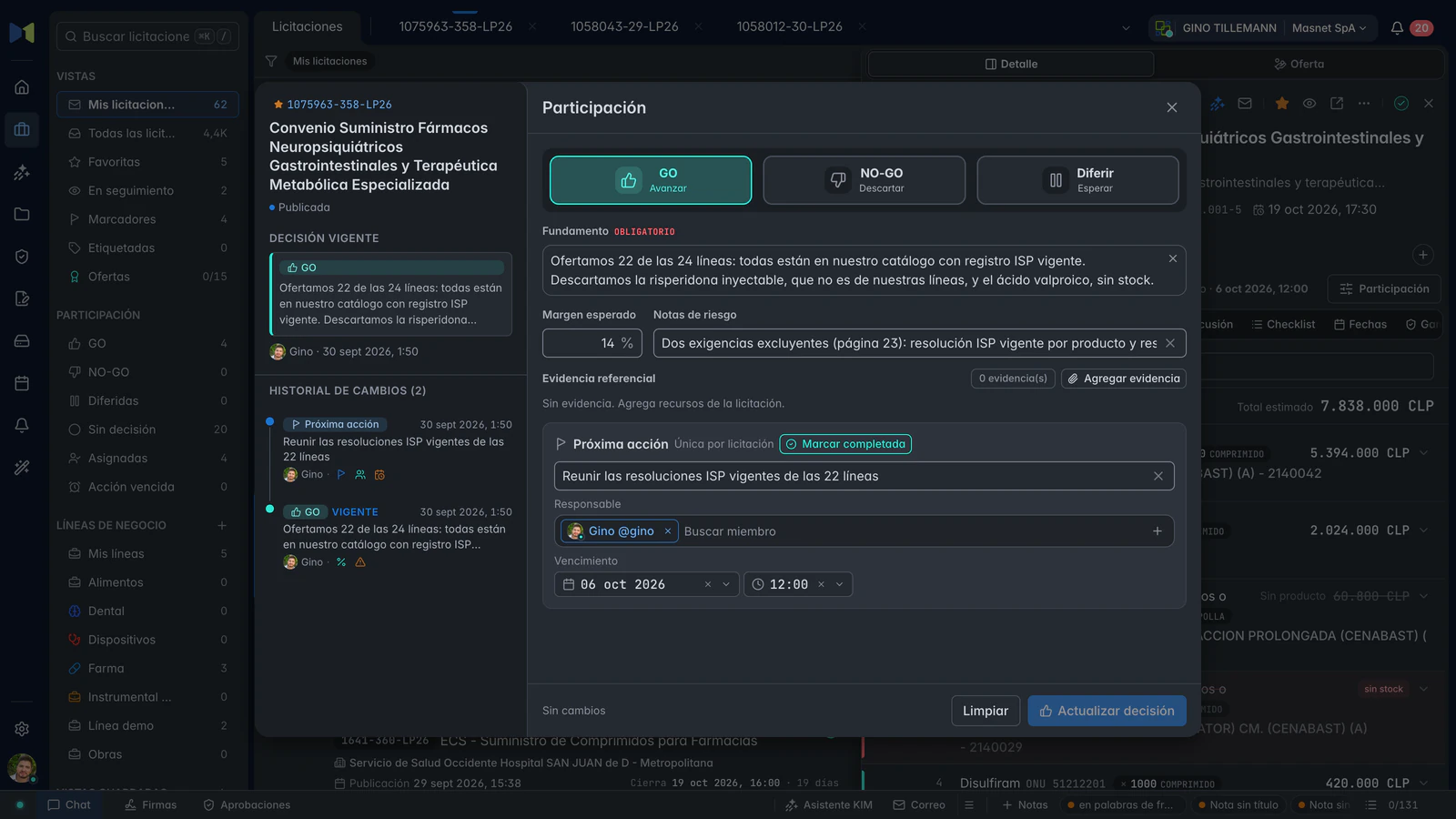
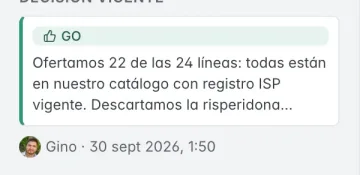
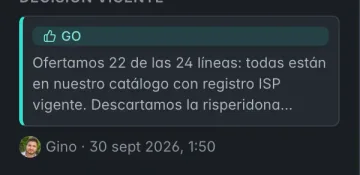
Participate, decline or defer the decision (GO, NO-GO or Defer on the screen), with reasoning, expected margin and risks. Define the next action with owners and a due date. Request specific approvals in the tender discussion.

  • Required reasoning and decision history
  • Next action with owners and due date
  • Approvals with reviewers and a deadline, with notice by email or Telegram
1075963-358-LP26 · Participation, with the decision recorded
Participation in 1075963-358-LP26: the GO decision with its reasoning, the expected margin, the risk notes, the next action and the change history. Participation in 1075963-358-LP26: the GO decision with its reasoning, the expected margin, the risk notes, the next action and the change history.
Participation in 1075963-358-LP26: the GO decision with its reasoning, the expected margin, the risk notes, the next action and the change history.
1075963-358-LP26 · Participation, with the decision recorded

Required reasoning. Without a written reason, the decision is not saved.

Next action. Owners and due date, visible to the whole team.

04Preparation and submission

The bid is built here and submitted with your session.

Price per line with products from your catalog, attached documents and the sworn statement. Before sending, Masnet checks prices, document changes and the legal representative. You submit it with Masnet Gateway, its extension for compatible Chromium browsers and your valid Mercado Público session. Then Masnet verifies on the portal that it was submitted and keeps a PDF backup with the annexes.

  • Operational checks before sending
  • Submission with your session, with recovery points
  • Verification against the portal and Masnet PDF backup with annexes

Operational validation checks submission conditions. It does not fully check compliance with the terms or every internal task and approval.

1075963-358-LP26 · Draft bid, not submitted
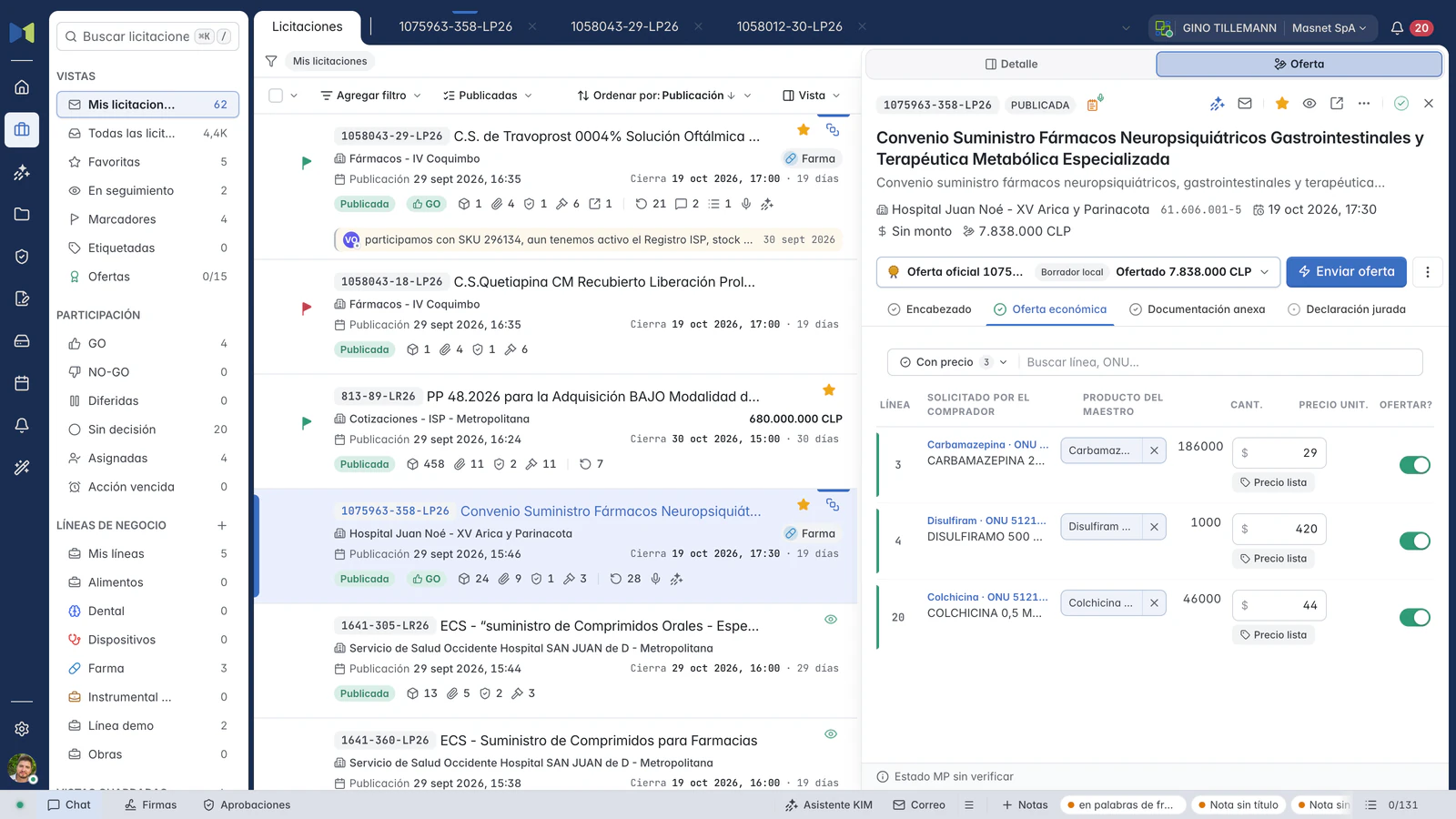
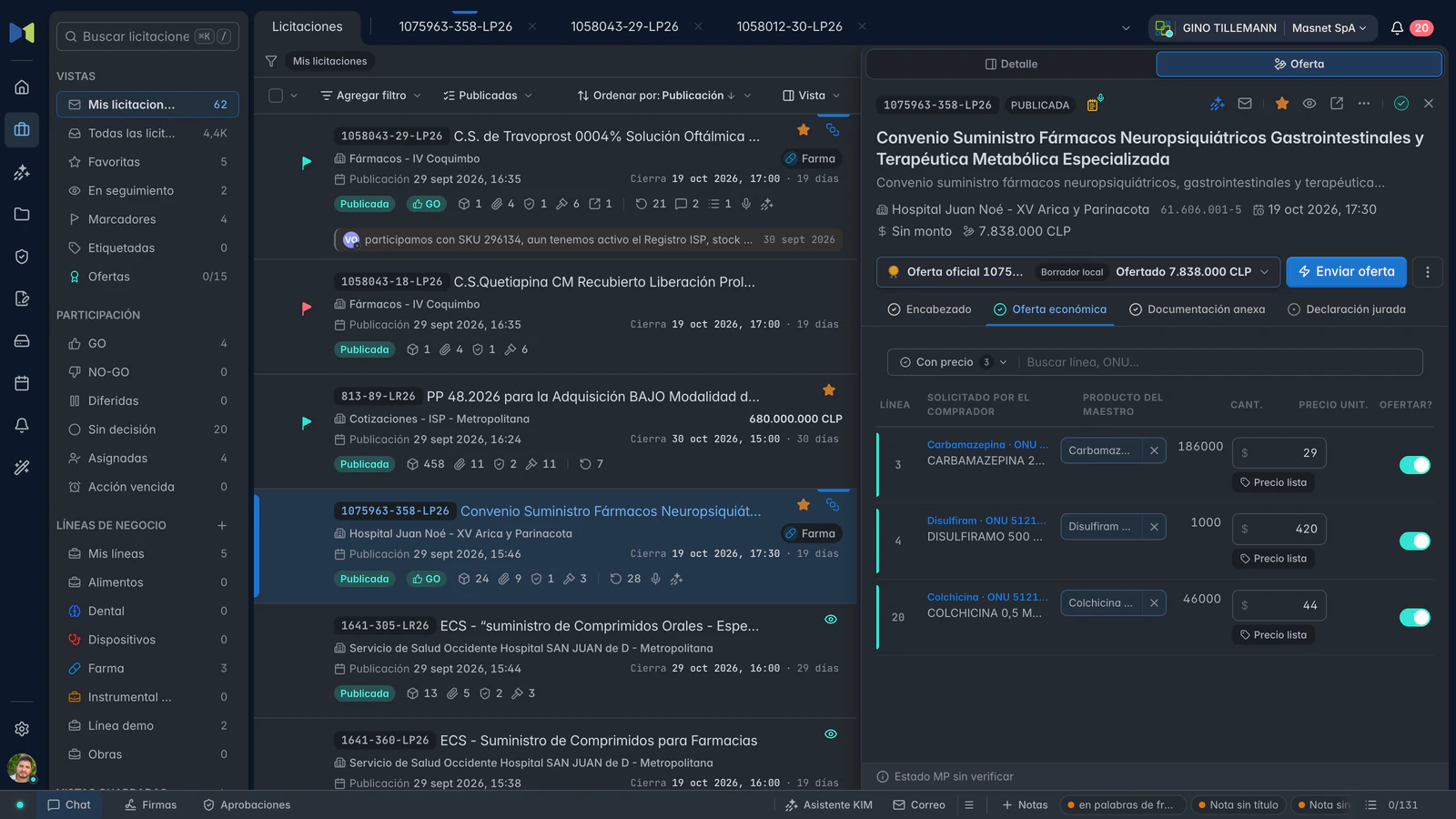
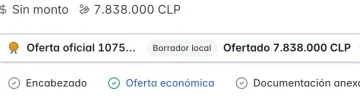
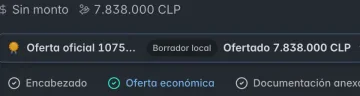
Draft economic bid for 1075963-358-LP26: three lines with their catalog product, unit price and total, not submitted. Draft economic bid for 1075963-358-LP26: three lines with their catalog product, unit price and total, not submitted.
Draft economic bid for 1075963-358-LP26: three lines with their catalog product, unit price and total, not submitted.
1075963-358-LP26 · Draft bid, not submitted

Price per line. The product from your catalog and its unit price, with its origin.

Bid status. Draft: saved in Masnet, not yet submitted on Mercado Público.

05Follow-up

Manage guarantees and keep track of commitments.

The tender shows the guarantee Mercado Público requires. Your team records the instrument that covers it, with issuer, amount and validity, and finance sees the exposure and the expiry dates. The bank or the insurer issues the instrument. If you win the award, review the evidence of the result and manage the contract with its purchase orders, milestones and obligations.

  • Required guarantee, separate from the instrument that covers it
  • Issuers, credit lines and exposure
  • Contract, purchase orders and milestones if you win the award

This screen shows the guarantee requirement, not an awarded contract. Bid guarantees are also managed while preparing the bid.

1075963-358-LP26 · Guarantees
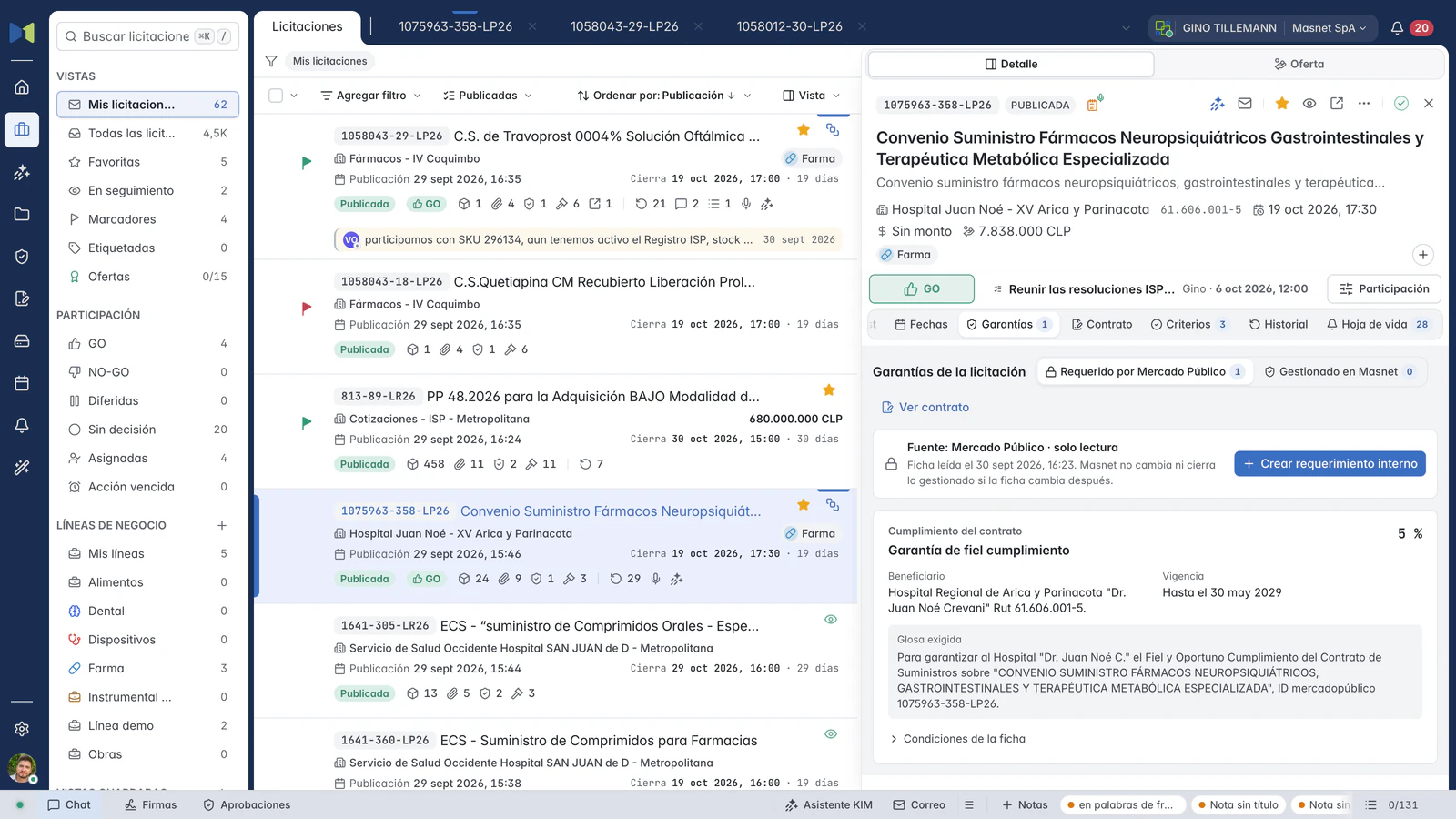
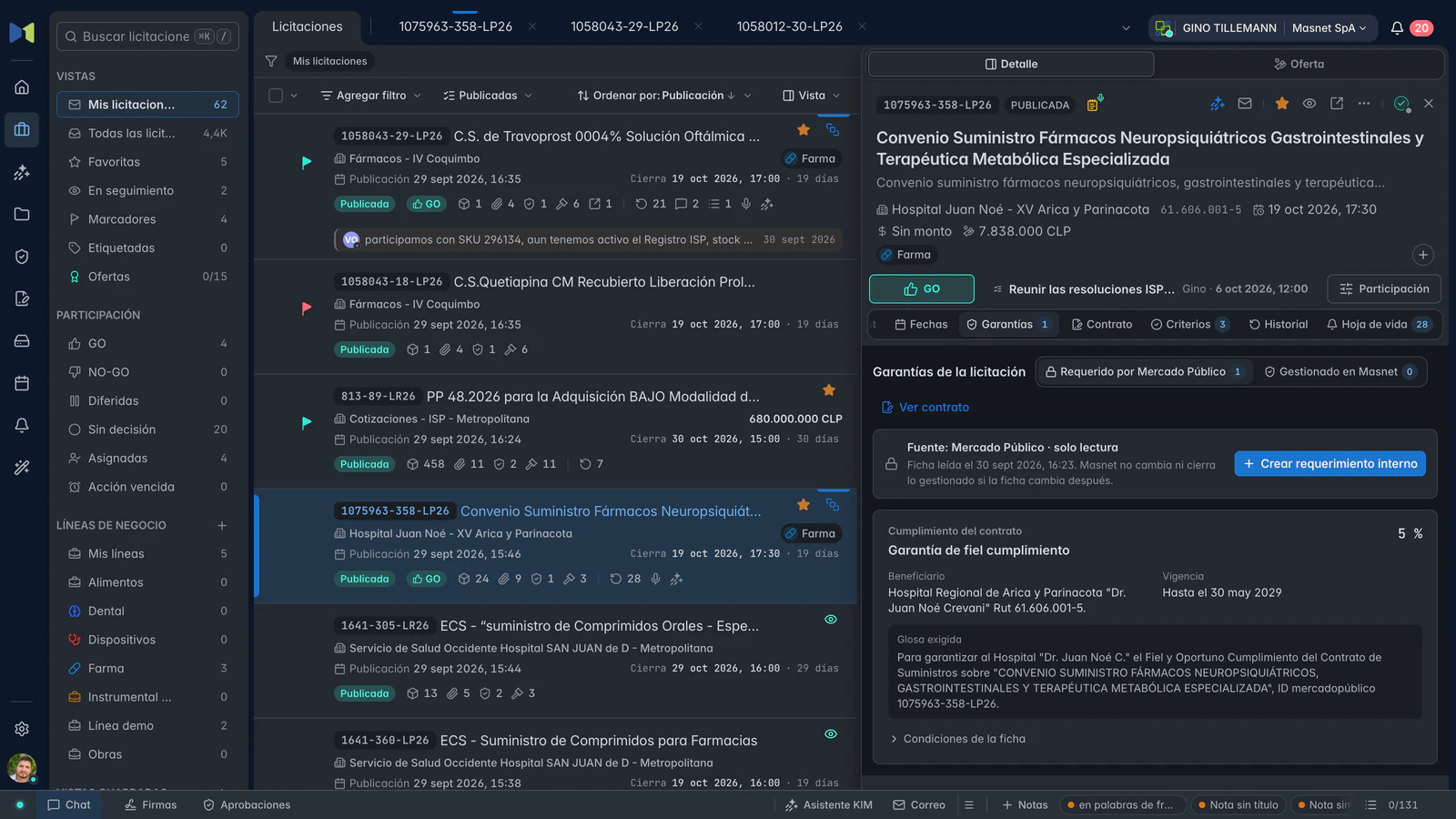
Guarantees for 1075963-358-LP26: the performance bond Mercado Público requires, its beneficiary and its validity. Guarantees for 1075963-358-LP26: the performance bond Mercado Público requires, its beneficiary and its validity.
Guarantees for 1075963-358-LP26: the performance bond Mercado Público requires, its beneficiary and its validity.
1075963-358-LP26 · Guarantees

Requirement and management, separately. What Mercado Público asks for and what your company manages in Masnet.

Beneficiary and validity. Who the guarantee is for and the period the instrument must cover.

03 / KIM

KIM, Masnet’s artificial intelligence.

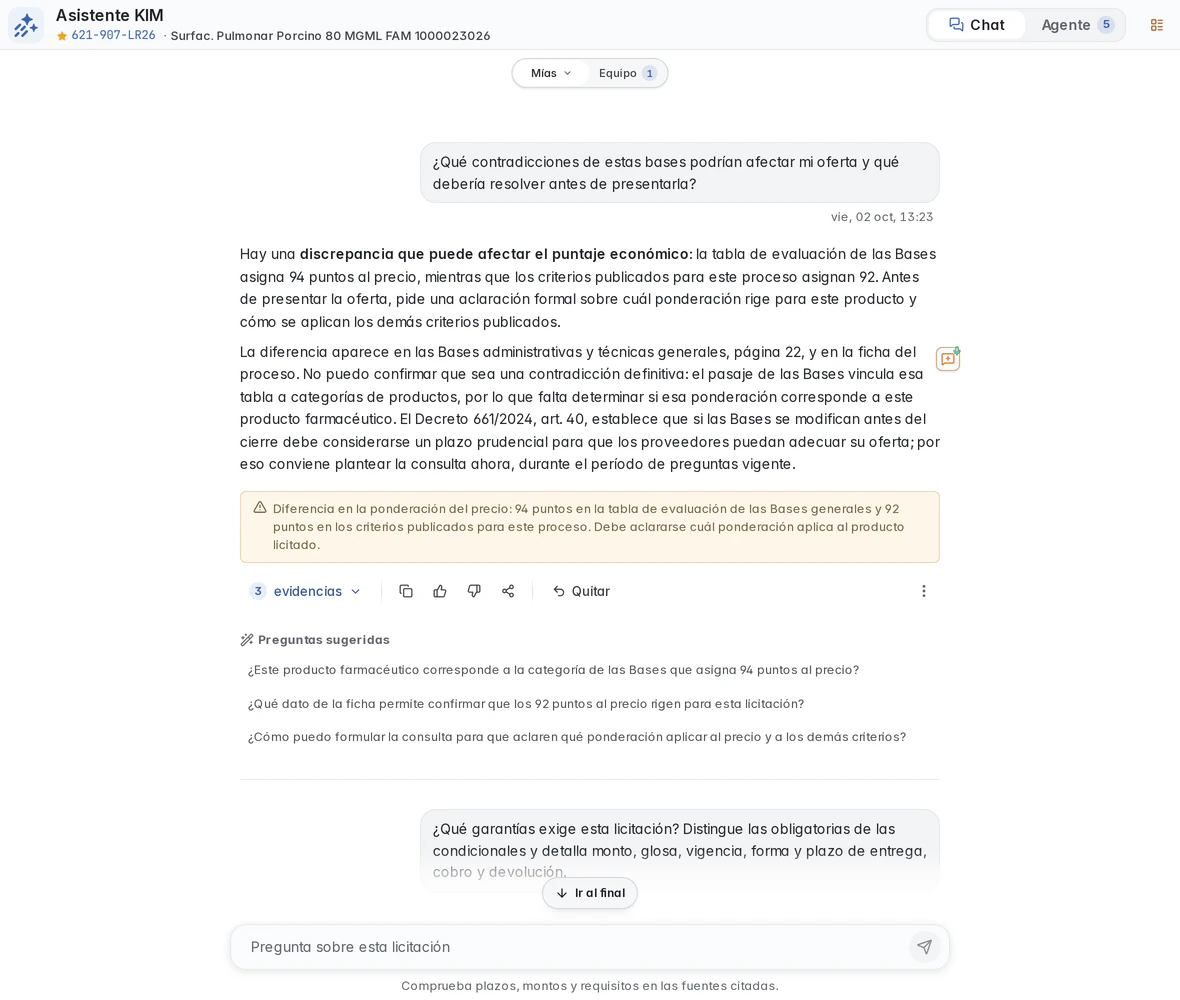
KIM supports your company’s work: analyzing tenders, reading documents and preparing communications. KIM Tenders brings together questions, background and process references. KIM Writing helps draft emails and templates, with a proposal you review before applying.

A real analysis case / 621-907-LR26

From a question in the terms to a review backed by sources.

Query a tender, open the sources behind the answer and keep your observations in a note with text or voice. Share the query when your team needs to review the same background information.

621-907-LR26 · Answer and references for the query
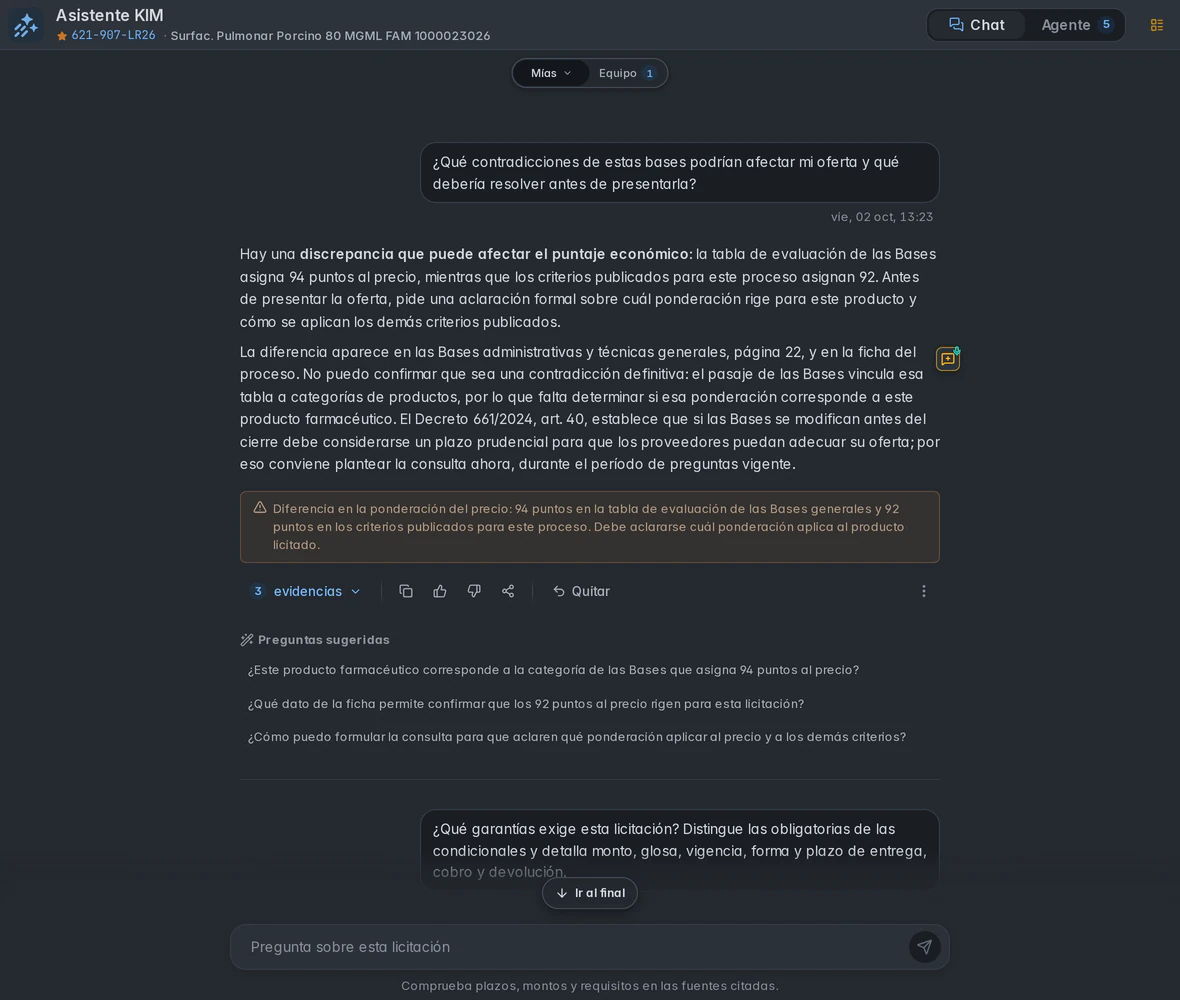
KIM query about differences in the terms of 621-907-LR26, with the answer, alert and available sources. KIM query about differences in the terms of 621-907-LR26, with the answer, alert and available sources.
KIM query about differences in the terms of 621-907-LR26, with the answer, alert and available sources.
621-907-LR26 · Answer and references for the query
  1. 01

    Read and summarize lengthy terms

    Read the original document in the viewer and consult its summary. Keep the full text at hand to review what matters to your bid.

  2. 02

    Find requirements and check their source

    Review extracted information and its references. The requirements panel covers part of this work. Your team completes the review of the terms.

  3. 03

    Repeat your review with KIM Agent

    Save the questions you use regularly in a template. Combine your own and library questions, order them and start the set from Agent. This reduces repeated writing and sending each question manually. Review the answers and their supporting evidence before using them.

04 / Masnet Gateway

Connect Mercado Público to Masnet from your browser.

Masnet Gateway is an extension for Chrome, Microsoft Edge and other compatible Chromium browsers. Install it from Chrome Web Store to connect your Mercado Público session to Masnet: review tender information, prepare bids and check submission results.

Masnet Gateway, a browser extension connecting your Mercado Público session. Original brand artwork in Spanish.
Masnet Gateway brand artwork, a Chromium extension connecting your Mercado Público session.
  1. Work with the right supplier

    Check which company is active in Mercado Público before operating from Masnet, and connect that session to your team’s organization.

  2. Review portal information from Masnet

    Consult the tender sheet, attachments and your bids from your workspace. Review differences against the portal without manually transferring that information.

  3. Prepare bids with progress tracking

    Prepare products and documents from Masnet, follow each operation’s progress and review the bid before confirming publication.

  4. Check what was submitted

    Review the submission result and its Mercado Público receipt, so your team can distinguish a prepared draft from a published bid.

05 / The team

What each department reviews in the same tender.

The company needs to understand how its market is being addressed. The tender links background information, decisions and work so management and the team can review what was decided, who owns the next action and what is pending, with records at hand.

Management
Review who decided, when and on what grounds, alongside recorded activity.
Commercial leadership
Consult the participation decision, responsible people and next actions for each opportunity.
Bid team
Coordinate tasks, documents, dates and bid preparation within the same process.
Technical and legal teams
Review background information, discuss specific issues and request approvals on related work.
Administration and finance
Keep guarantees, contracts, purchase orders and recorded payment milestones connected.

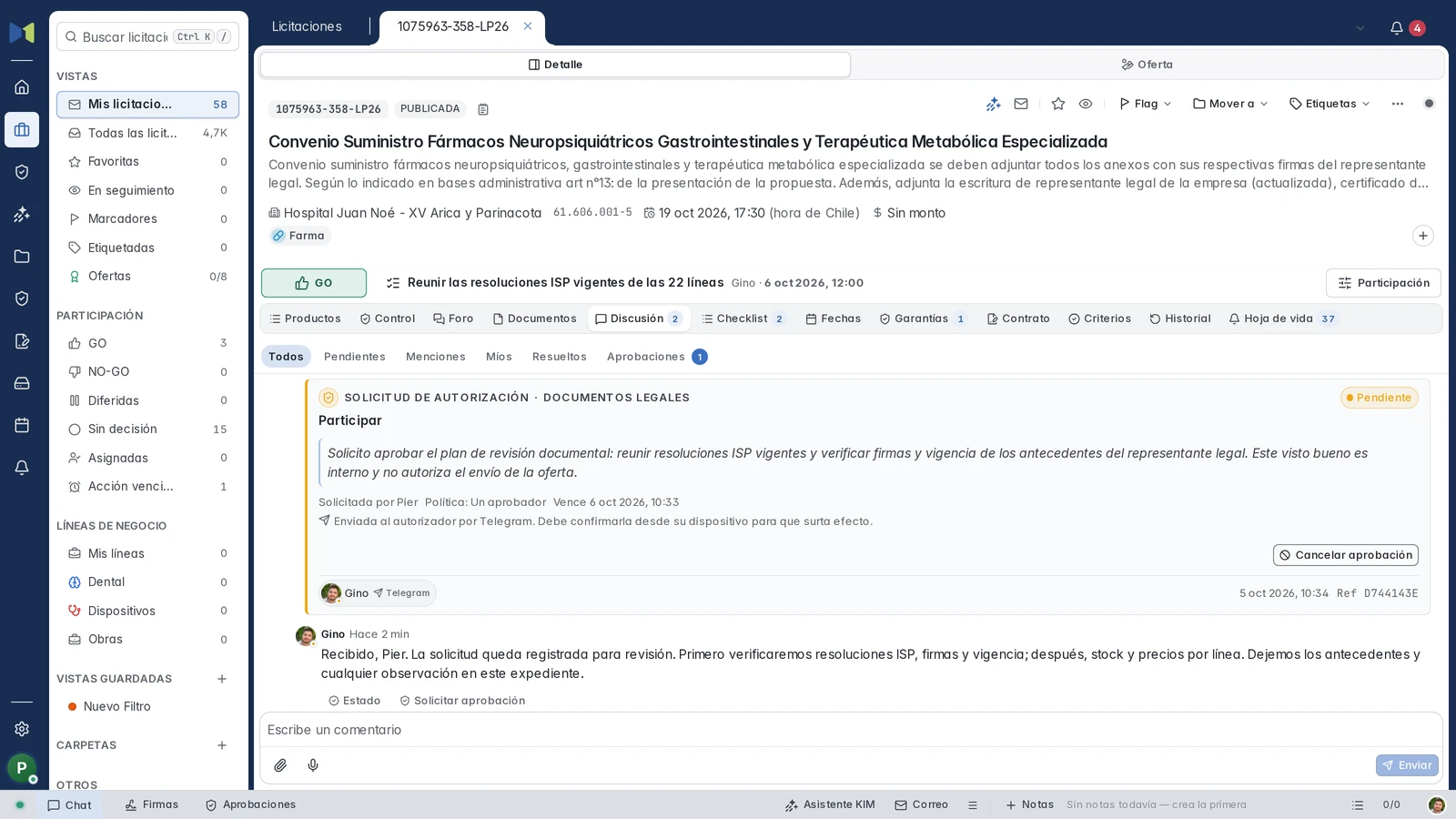
Who owns a task and which approval is still needed.

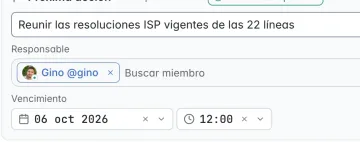
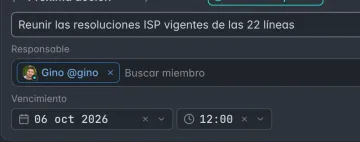
In 1075963-358-LP26, Pier asks Gino to review documentation before preparing the bid. The case keeps the request, its expiry and the reply alongside assigned work.

  1. Who owns the work

    Pier collects the ISP resolutions and Gino reviews signatures and validity of legal records. The checklist distinguishes open work from completed tasks.

  2. What is being requested

    An internal document review with Gino as approver and a recorded deadline. The request reached his device through Telegram.

  3. What still needs verification

    The request is pending when captured. The discussion reply does not approve it, and this review does not authorize bid submission.

1075963-358-LP26 · Pending request and Gino’s reply kept in the case record.
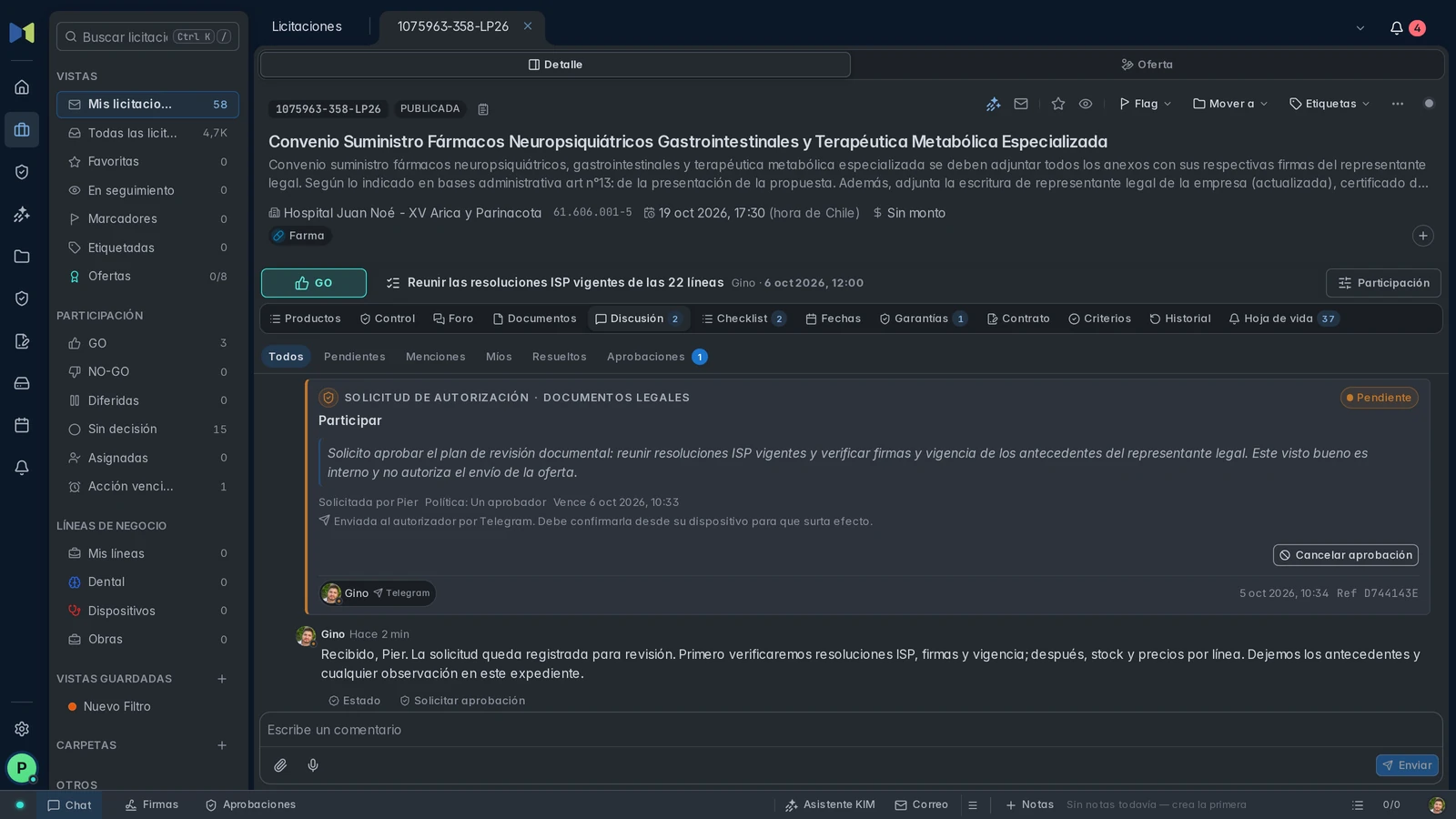
Pier’s document request to Gino, pending and sent through Telegram, with Gino’s reply in the same thread. Pier’s document request to Gino, pending and sent through Telegram, with Gino’s reply in the same thread.
Pier’s document request to Gino, pending and sent through Telegram, with Gino’s reply in the same thread.
1075963-358-LP26 · Pending request and Gino’s reply kept in the case record.
06 / The company

22 years of software for government suppliers.

Masnet is an independent company, not affiliated with Mercado Público or ChileCompra.

  1. 2004

    Masnet’s first software: its own tender index and a desktop application to search tenders from the company’s catalog.

  2. Today

    A web application for tenders, bids, guarantees and contracts, alongside the desktop suite, launched in 2010, that our clients still use.

Frequently asked questions

Why do I need Masnet if I already use Mercado Público?

Mercado Público already lets you search for opportunities, review background information, bid and track official actions. Masnet relates that market to your catalog and commercial criteria, and connects each opportunity to your company’s decisions, owners, tasks, documents and activity.

Does Masnet guarantee we see every tender relevant to us?

No. Masnet organizes that review with searches, filters, your catalog and Predictivas ranking. Its reach depends on available data, your criteria and product classification, so your team checks the results and adjusts the search.

Does Masnet submit the bid for me?

No. You submit it, with Masnet Gateway and your Mercado Público session. Masnet prepares the bid, stops for you to confirm before publishing, then verifies on the portal that it was submitted.

Where does Masnet use artificial intelligence?

In tender and document analysis: KIM summarizes the terms, answers with available references and excerpts and applies guided questions. Predictivas uses classification and semantic signals to relate opportunities to products and public history. Rules determine their ranking. KIM Writing proposes email and template text you compare before applying. In Portfolio, AI proposes a product’s generic description for your review and confirmation. It also transcribes voice notes. The decision and the bid remain your team’s.

Does KIM confirm that my bid meets the terms?

No. KIM answers questions about the terms with their evidence. Reviewing compliance and making the decision are up to your company.

What support do you offer, and how do I end the service?

Support at [email protected], during business hours, and sales inquiries at [email protected]. Response times and termination terms are set in the contract. Ask for them before you sign up.

07 / Get started

Try Masnet with one of your company’s tenders.

Create the account and work on a process with your team. Check how documents, responsibilities, decisions, preparation and follow-up connect for your operation.

What you can check

  • Review terms and check KIM’s references
  • Decide, assign responsible people and retrieve the reasoning
  • Prepare products, prices and documents for the bid
  • Check submission, dates and follow-up with an appropriate case
Create account

Sign-up includes a 30-day trial, without a payment card. To continue afterwards, you subscribe to a plan.

How you start

  1. 1

    Create the account

    Your email, a verification code and your company’s workspace.

  2. 2

    Register your tax ID

    Declare the supplier and review its eligibility. Your Masnet account is separate from a valid Mercado Público session.

  3. 3

    Load your catalog

    Your products rank new tenders and are used in the bid, line by line.

  4. 4

    Work on a tender

    Open it, decide whether to participate, decline or defer and assign the next action.